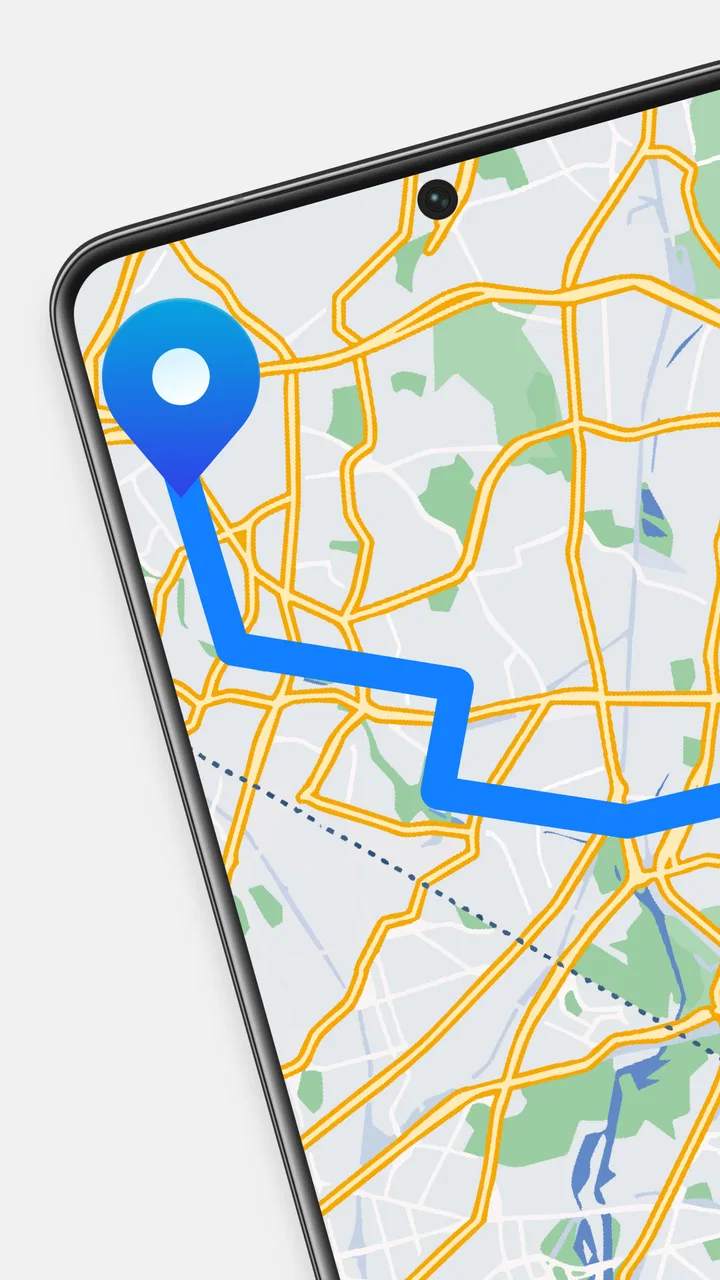
GPS Maps Voice Navigation App
- 4.8
- Rating
- 5.00M
- Installs
- Free
- Price
 Analysis by App-foxy
I spent time with GPS Maps Voice Navigation App as a practical Maps & Navigation tool rather than treating it like a full replacement for every navigation service on a phone. Its appeal is easy to understand: it brings route guidance, location finding, weather, a compass, and a clock into one place. That combination makes it more interesting than a basic map viewer, especially for people who like having several travel utilities close together.
The important question is whether that convenience matters in your daily routine. I found the app most useful when I wanted a quick orientation check, a simple route view, or a compact travel dashboard. It feels less compelling if you already have a navigation setup that you know extremely well and only need turn-by-turn directions. My overall impression is positive, but the value depends on whether you will actually use the extra tools instead of opening the app only for occasional directions.
How the app fits into everyday navigation
GPS Maps Voice Navigation App is an Android application from GeniusTools Labs in the Maps & Navigation category. It is free to install, carries an Everyone content rating, and has reached over one million installs. Those details place it in the accessible end of the navigation market: you can try it without paying upfront, and the age rating makes it suitable for a broad household audience.
You May Also Like

 Blood Strike: 2.5 Anniversary
Blood Strike’s Loadouts Turn Every Drop Into a Tactical Gamble
A close look at Blood Strike’s custom loadouts: how fast access to signature weapons reshapes its battle royale rhythm, rewards preparation, and narrows the gap between fights.

 Pandora - Music & Podcasts
Pandora’s Music Is Easy to Start, but Harder to Recover
Pandora’s strength is its low-effort path from a seed to a station. Its weak spot is how much confidence it asks you to place in connection, setup, and quiet recovery.

 8 Ball Pool
 Is Built on Rivalries, Rematches, and Routine
A close look at the rivalries, rematches, shared routines, and unanswered safety questions that turn a quick pool match into a persistent mobile community.

 Samsung Music
’s Quiet Strength Is Playing What You Already Own
Its reach comes less from spectacle than from dependable access to a personal library. That simplicity is both the app’s strongest retention engine and its ceiling.

 AccuWeather: Weather Radar
AccuWeather Review: A Quick, Clear Forecast for Everyday Decisions
For everyday plans, the best forecast is the one you can understand quickly. AccuWeather makes rain timing, radar, and local conditions easy to act on, with a few trade-offs.

 Hill Climb Racing
Why Hill Climb Racing Still Turns Crashes Into One More Run
A tiny car, a bumpy hill and one more upgrade: Hill Climb Racing keeps resurfacing because its simple chaos makes every near-miss feel personal.
More From Our News Desk



The app’s central job is helping me understand where I am and how to get somewhere. Around that core, it adds weather information, compass functions, and a clock. I like this broader approach because travel rarely involves directions alone. Before leaving, I may want to check the weather; while walking, I may want a quick sense of direction; during a trip, I may simply need the time without switching between several unrelated apps.
The experience is better understood as a compact collection of travel tools than as a specialist navigation instrument. That distinction matters. A dedicated navigation service may be the stronger choice for complex journeys, detailed local transport planning, or users who need a familiar ecosystem of saved places and travel history. This app is more appealing to someone who values a straightforward, all-in-one utility.
Its store short description is simply “GPS Maps,” while the broader summary points to live route updates, GPS navigation, location finding, weather, a compass, and a clock. In practice, that combination sets a reasonable expectation: the app is designed to support movement and orientation, not to replace every travel-planning feature found in larger map platforms.
What I found useful during a normal day
A realistic use case is a short trip across town. Before leaving home, I can open the app to check the route and glance at the weather. Once outside, the location function gives me a quick reference point, while the compass is useful when I am standing at an unfamiliar intersection and need to match the map with the direction I am facing. The clock sounds minor, but it is handy when I am coordinating a departure or checking whether I have time to make a connection.
That workflow is more valuable than using each feature in isolation. The app becomes a small preparation-and-orientation screen: route first, conditions second, direction and time during the journey. I would not call this a replacement for careful trip planning, but it reduces the need to jump between separate tools for simple outings.
Another useful habit is to treat the compass as a confirmation tool rather than as the main source of navigation. When a map view feels confusing, I first identify my position, then compare the compass direction with a visible street or landmark. This is more reliable than turning randomly and assuming the first arrow movement tells the whole story. The app’s value here comes from combining location awareness with a physical sense of direction.
For outdoor walks, the weather and compass combination can also be practical. I can check conditions before heading out and use the compass to maintain a general heading when the surroundings are unfamiliar. I would still plan carefully for serious outdoor activity, because a general navigation app should not be treated as a substitute for dedicated safety equipment, local knowledge, or an offline preparation routine.
Route updates and the question of trust
Live route updates are one of the more important reasons to try this app. A route is not useful if it becomes irrelevant after the journey starts, so the ability to work with changing travel conditions is central to its purpose. I appreciate that the app presents navigation as an active process rather than a map that is checked once and then ignored.
Even so, I would keep a sensible backup habit for unfamiliar or important trips. Before setting off, I would review the route, note the destination, and make sure the phone has enough battery for the journey. If I were traveling somewhere with unreliable connectivity or limited access to charging, I would not rely on any single phone navigation app without preparation. That is not a criticism unique to this product; it is a practical limitation of mobile navigation itself.
Voice guidance can make movement easier because it reduces the need to stare at the screen. I find that most useful while walking or driving in a familiar environment where I only need occasional prompts. It also lets me keep more attention on the road or surroundings. However, voice instructions are not a reason to ignore signs, traffic conditions, or the actual layout around me. I use them as assistance, not as permission to navigate without looking up.
How it compares with the usual alternatives
The obvious alternative is a large, established mapping service that many people already have on their phone. Those services often feel stronger for detailed place information, business discovery, saved locations, reviews, public transport planning, and broad ecosystem integration. If those are your priorities, switching may not make sense.
GPS Maps Voice Navigation App has a different advantage: its feature mix is easy to understand. Instead of opening one app for a route, another for weather, and another for a compass, I can use one navigation-focused tool for several basic needs. That can be especially attractive on a secondary phone, for a family member who wants fewer apps, or for anyone who prefers a simpler travel routine.
It also sits between a basic compass utility and a heavyweight mapping platform. A compass-only app may be faster for one narrow task, while a major map service may provide more depth. This application earns its place when the middle ground suits you: route guidance plus a few useful orientation tools, without requiring a separate app for every small question.
I would not choose it solely because it has a high average rating of 4.8 from around fifteen thousand ratings. That is encouraging, and the broader user response suggests that many people find it worthwhile, but ratings cannot tell me whether it matches my exact travel habits. I still judge it by the features I will use repeatedly, not by popularity alone.
What the free access really means
The free entry point is a genuine strength. I can install the app and evaluate its navigation approach without committing money first. For a Maps & Navigation app, that matters because comfort with the map layout, voice guidance, and general workflow is personal. A free starting point makes it easier to decide based on actual use rather than screenshots or descriptions.
There are in-app purchases ranging from $0.99 to $99.99 per item. That wide range means I would pay attention to what a particular purchase unlocks before spending anything. The app’s free availability is clear, but free access and paid value are separate questions. I would not assume that every useful capability requires payment, and I would not assume that an optional purchase is automatically worthwhile simply because the app is popular.
My advice is to use the free version for several ordinary journeys first. Test the route view, location finding, voice guidance, weather, compass, and clock in the situations where you actually travel. If the free experience already covers your needs, there is no reason to buy something just to make the app feel more complete. If a paid item solves a specific problem you encounter repeatedly, then its value should be judged against that problem rather than against the maximum purchase amount.
This is also where the app’s pricing structure calls for restraint. A low-cost item may be easy to justify for a frequent user, while a much larger purchase deserves a clear reason and regular use. I would avoid buying on impulse after a single trip. Navigation tools become valuable through dependable routines, not through features that remain untouched after installation.
Small habits that make the app more useful
My first tip is to check the route before starting the journey rather than waiting until I am already moving. This gives me a chance to notice an awkward destination, understand the general direction, and decide whether voice guidance will be enough. It also prevents the common mistake of treating the first suggested route as something that must be followed without thought.
My second tip is to use the weather feature as part of departure planning, not as a replacement for common sense. A quick check can influence whether I walk, take another form of transport, or allow extra time. I would still consider the actual conditions around me, because a forecast glance cannot describe every local change along a route.
My third tip is to calibrate my expectations of the compass. I use it to establish orientation and compare the map with the real world, but I do not expect it to solve every location problem. Buildings, vehicles, and confusing street layouts can make any directional tool feel less immediately clear. Looking for a fixed landmark and then checking the compass is a better workflow than relying on the arrow alone.
A fourth useful habit is to keep the app focused on the current task. If I am walking, I use the route and compass; if I am preparing to leave, I use weather and time; if I am checking where I am, I use the location view. This prevents the extra features from becoming visual clutter. The app works best when its collection of tools supports a simple decision instead of encouraging constant screen switching.
Where the experience may fall short
The all-in-one design is convenient, but it can also feel less specialized than the strongest single-purpose alternatives. Someone who wants exhaustive place data, sophisticated itinerary planning, or a deeply established navigation ecosystem may find the experience too limited. I would also hesitate to recommend it as the only tool for demanding journeys where every detail must be planned in advance.
The presence of weather, compass, and clock does not automatically make the actual route guidance better. Those additions are useful when they fit into one workflow, but they should not distract from the main question: does the app guide me clearly and comfortably to the destination? For some users, the answer will be yes; for others, a familiar map service with fewer bundled tools may feel faster.
There is also a learning curve whenever a navigation app presents several functions in one interface. A first-time user may need a little practice to understand which screen is best for routing, which is best for locating themselves, and when the compass adds value. I consider that manageable, but I would not describe the app as completely frictionless for every person from the first opening.
Version 1.61 is the current version, and the app supports Android 7.0 and later. That makes it relevant to people who keep older Android devices, although device age can still affect the general feel of any GPS application. On an older phone, I would judge the experience by how quickly the screen responds and how comfortably the device handles a navigation session, rather than assuming newer software will behave identically everywhere.
Who is most likely to get real value
I think the strongest audience is the person who wants an uncomplicated navigation companion with a few practical extras. It suits casual drivers, walkers, travelers who like a compass nearby, and users who want weather and time available around their route. It is also a reasonable option for someone setting up an Android phone and looking for one free app to cover several basic travel needs.
The free installation makes it easy to recommend as a trial rather than as a blind commitment. Families may appreciate the Everyone rating, while users with older compatible phones may value the support for Android versions that are not limited to the newest devices. The app’s broad reach, including over one million installs, also suggests it is not an obscure experiment that only a handful of people have tried.
I would skip it if my everyday navigation depends on extensive place databases, complex public transport details, advanced trip organization, or a large collection of saved travel information. In those cases, the usual established alternative may be a better fit even if its interface feels busier. I would also skip it if I only need a compass or clock, because a dedicated lightweight tool may be more direct.
For occasional navigation, however, the app’s combination is sensible. A person who takes short trips, explores unfamiliar neighborhoods, or wants a quick way to combine direction and route awareness may find more value here than in a collection of disconnected utilities.
My verdict on trying or skipping it
GPS Maps Voice Navigation App is worth trying because the barrier to entry is low and its feature mix is practical. I like that it does more than display a route: it helps with location, orientation, weather, and time. In my experience, the best reason to keep it installed is not any single feature but the way those features support a short, repeatable travel routine.
I would begin with the free access and test it on familiar routes, then on one moderately unfamiliar trip. That gives me enough context to decide whether the map presentation and voice guidance suit my habits. I would only consider an in-app purchase after identifying a specific benefit that I will use regularly, especially because individual items can range from $0.99 to $99.99.
My final recommendation is positive with a clear boundary: choose it for convenient everyday orientation, not for every possible navigation need. If you want a free Android navigation app that brings route help, location awareness, weather, a compass, and a clock together, it offers a useful package. If you need the deepest mapping ecosystem or highly specialized journey planning, stay with the alternative that already handles those tasks best. For the right user, this is a practical companion rather than an unnecessary duplicate.
GeniusTools Labs has made a broadly accessible app with a clear everyday purpose. Its 4.8 average and around fifteen thousand ratings make it easy to understand why people are interested, but my recommendation rests more on its sensible combination of tools and free starting point. I would install it, test the routine, and keep it only if those extra orientation features genuinely save me time.
FAQs for GPS Maps Voice Navigation App
01What features does the GPS Maps Voice Navigation App offer?
The GPS Maps Voice Navigation App provides turn-by-turn voice guidance, real-time traffic updates, and offline maps for seamless navigation. It also includes features like speed limit alerts, lane guidance, and points of interest to enhance user experience during travel.
02Is the GPS Maps Voice Navigation App free to use?
The app offers a free version with basic features, but for advanced functionalities such as offline maps and traffic updates, a premium subscription is available. This ensures users can choose a plan that suits their specific navigation needs and budget.
03How accurate is the real-time traffic information?
The app uses up-to-date traffic data sourced from multiple providers to ensure high accuracy. While it generally provides reliable traffic updates, occasional discrepancies may occur due to sudden changes in traffic conditions or data delays.
04Can I use the app without an internet connection?
Yes, the app supports offline maps, allowing users to navigate without an internet connection. This is particularly useful for traveling in areas with poor connectivity. However, some features like real-time traffic updates require an active internet connection.
05Is the GPS Maps Voice Navigation App available for both Android and iOS?
Yes, the app is available for download on both Android and iOS platforms. Users can easily find it on the Google Play Store and Apple App Store, ensuring wide accessibility for smartphone users.
Pros
- Accurate real-time traffic updates.
- Voice commands for hands-free use.
- Offline maps available for download.
- User-friendly interface with clear visuals.
- Multiple route options for flexibility.
Cons
- Consumes significant battery power.
- Ads can be intrusive and frequent.
- Limited customization for alerts.
- Occasional lag in map updates.
- Requires internet for best features.

GPS Maps Voice Navigation App
Gallery